Behind the build
4 min read
Behind the build: Designing touchscreens for busy environments
Why touchscreen behaviour changes in live environments
Touchscreen experiences often look deceptively simple.
A few buttons, some movement, clear navigation and a polished interface can make the interaction feel effortless from the outside. But designing touchscreens for live environments is very different from designing for desktop or mobile experiences.
At events especially, user behaviour changes dramatically.
People are distracted, moving quickly and often interacting in groups. In many cases, users decide within seconds whether they want to engage further or walk away entirely.
That changes the way touchscreen UX needs to work.
Designing for real-world behaviour, not ideal behaviour
We recently worked through a touchscreen experience where the biggest challenge wasn’t the technology itself — it was reducing hesitation within the interaction.
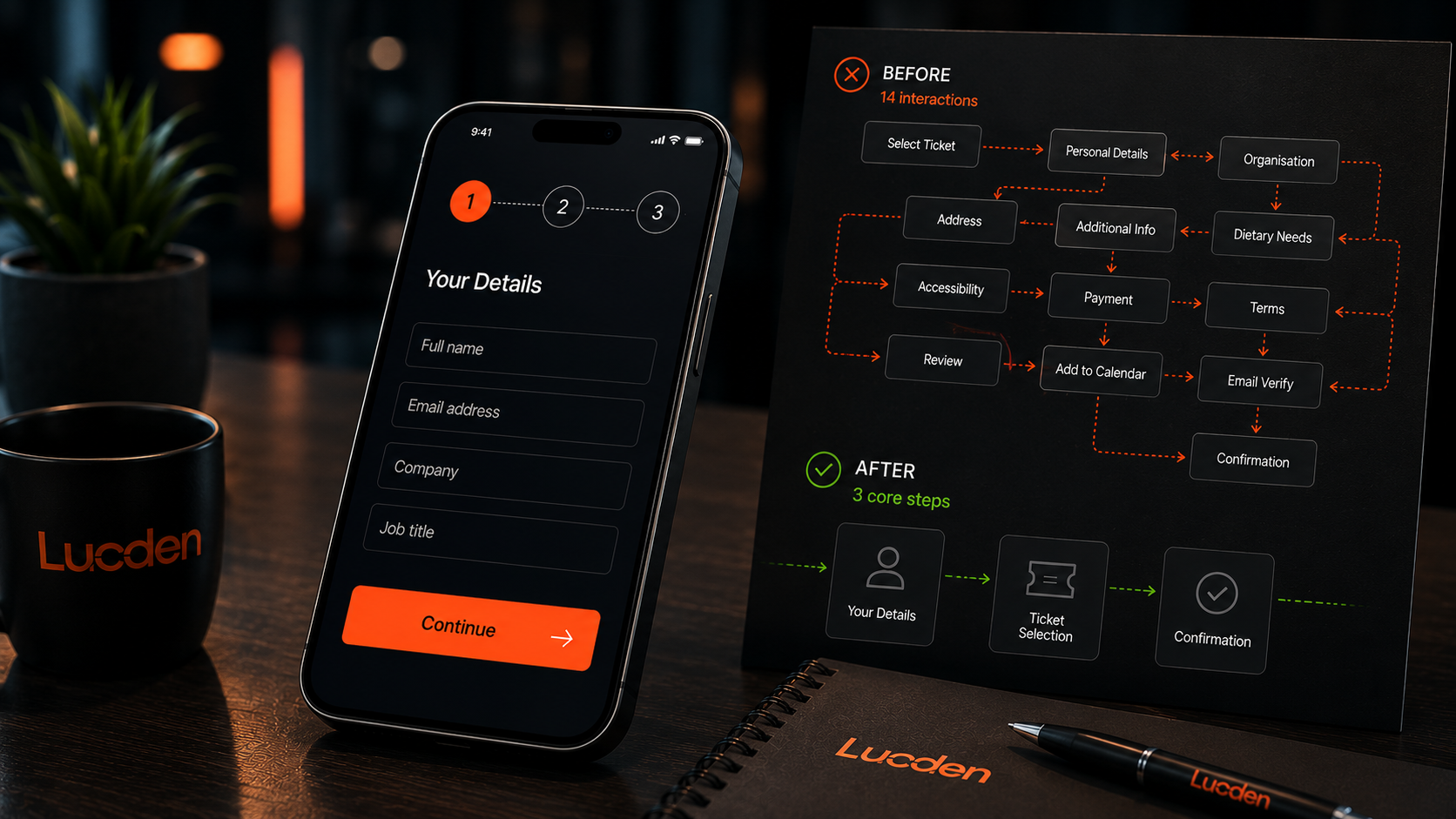
The original concept contained too many decisions too early in the journey, smaller touch targets and interaction paths that relied on users concentrating for longer than the environment realistically allowed.
In controlled testing environments, the experience worked perfectly.
In a busy live setting, the friction became far more visible.
That’s one of the biggest differences with touchscreen design in physical environments. Real-world behaviour matters far more than ideal behaviour.
What users need to understand instantly
Touchscreen experiences in live environments need to communicate immediately.
Users should instantly understand:
- Where to touch
- What happens next
- How long the interaction will take
- Whether the experience feels worth engaging with
A large part of the redesign focused on simplifying the interaction flow and designing around environmental behaviour rather than purely visual design.
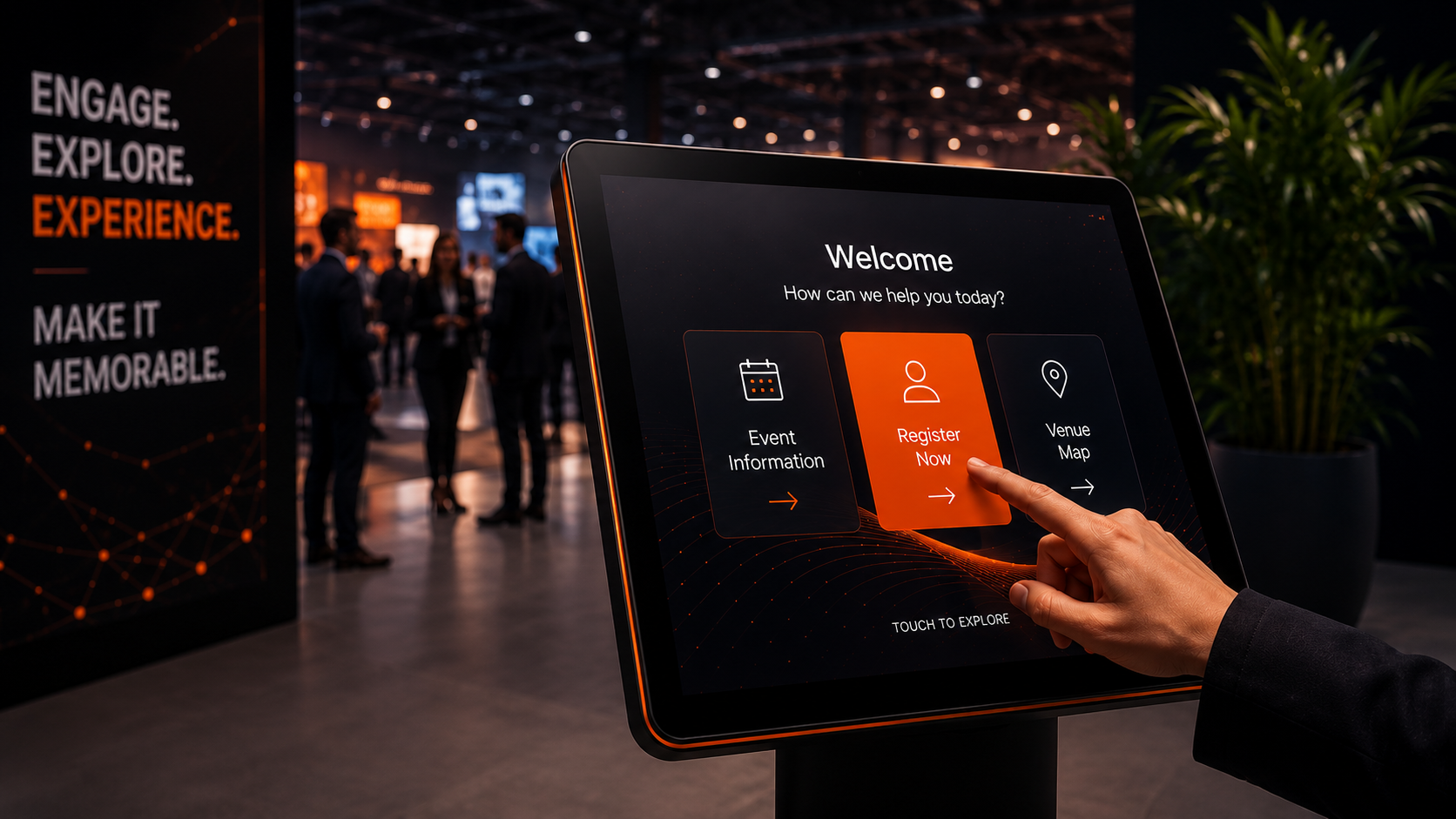
Touch targets became larger and more deliberate. Navigation paths were shortened and feedback became more immediate and obvious. Animations were simplified to reinforce actions rather than distract from them.
The overall experience became more guided, intuitive and easier to move through without hesitation.
Why simplicity usually performs better
Unlike desktop experiences, touchscreen interactions often happen standing up, in bright spaces, with surrounding noise and limited attention spans.
The interface needs to work almost instinctively.
The strongest touchscreen experiences usually remove uncertainty altogether. Users shouldn’t have to stop and work out how the system behaves. The interaction should feel natural enough that people simply continue moving through it.
Interestingly, many of the biggest improvements in touchscreen UX come from restraint rather than adding more visual complexity.
It’s often about reducing options, simplifying journeys and focusing attention on a single clear action at each stage of the experience.
The role of friction in touchscreen engagement
Following the redesign, the touchscreen journey became significantly faster and easier to engage with in live environments.
Users moved through the interaction more confidently, engagement rates improved and the overall experience felt calmer and more intuitive despite operating in a busy event setting.
It reinforced something we see repeatedly across physical digital experiences:
The best touchscreen interfaces don’t demand attention.
They guide people through interactions naturally, with as little friction as possible.
Summary
Designing touchscreens for live environments requires a very different approach to traditional desktop or mobile UX. Users are distracted, moving quickly and interacting in unpredictable environments, which means clarity and simplicity become far more important than adding complexity.
Some of the strongest touchscreen experiences are often the simplest — reducing hesitation, shortening interaction paths and guiding users naturally through the experience with minimal friction.
Working on something similar?
Feel free to drop the Lucden team a message on hello@lucden.com or call 0207 101 3268. Always happy to chat ideas through.